EditLab Alter
Fix the one thing that ruined your AI clip. Keep the rest.
An AI clip can be exactly what you wanted, and then one thing gives it away: her face turns into someone else's halfway through, a stranger walks in, or the sign says nonsense. Generating it again costs credits and usually loses the take you liked. Alter fixes that one thing on your Mac and leaves the rest of the shot as it was.
Free to download. Opening clips, finding what's wrong and fixing it are free, and so are your first 10 exports.
What it fixes
These are the films on Alter's start screen. Each one is a real AI clip: the flaw first, then the fix.
-
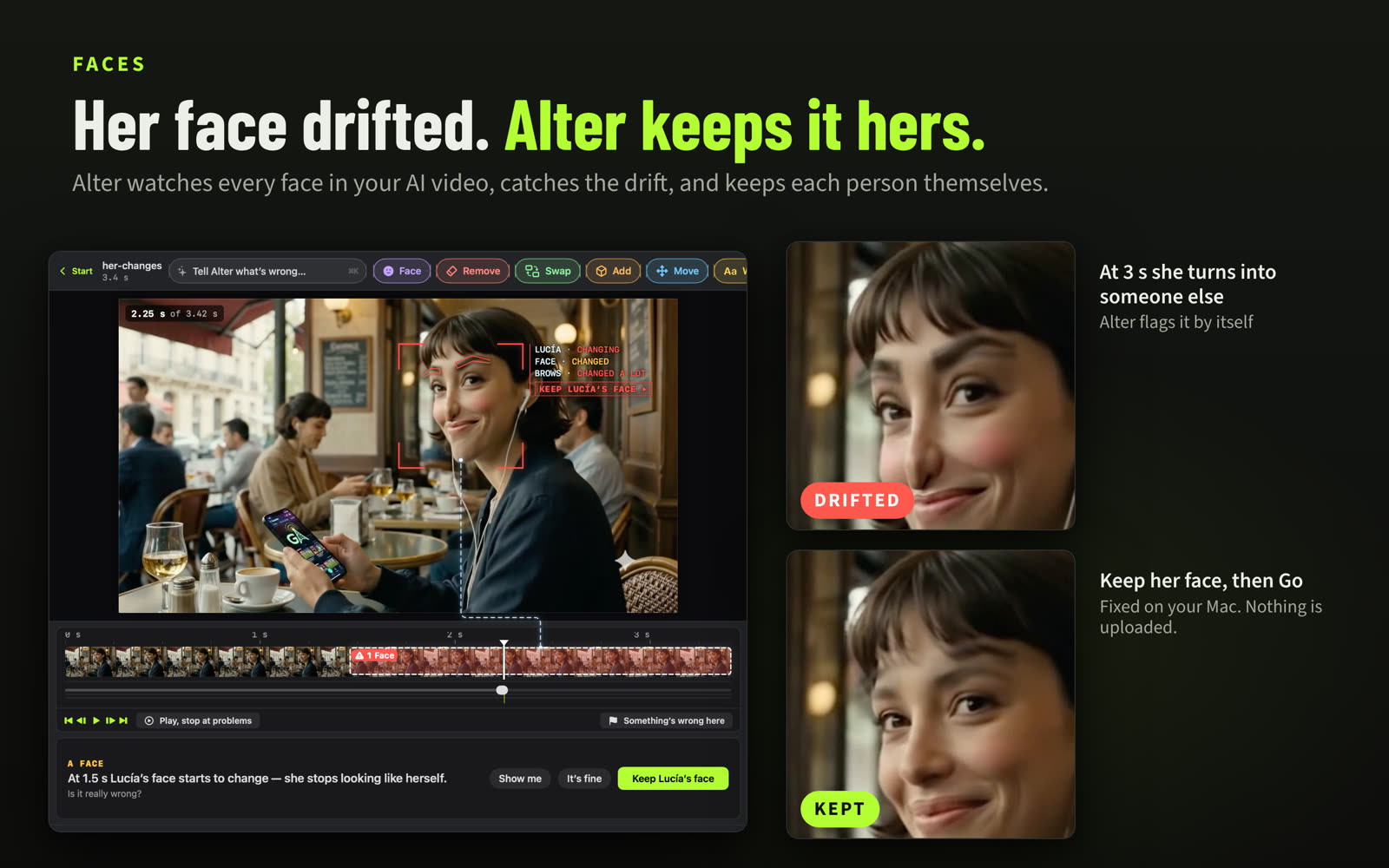
Fix faces that morph
A face that turns into someone else, or eyes and nose that wobble: kept the same person.
-
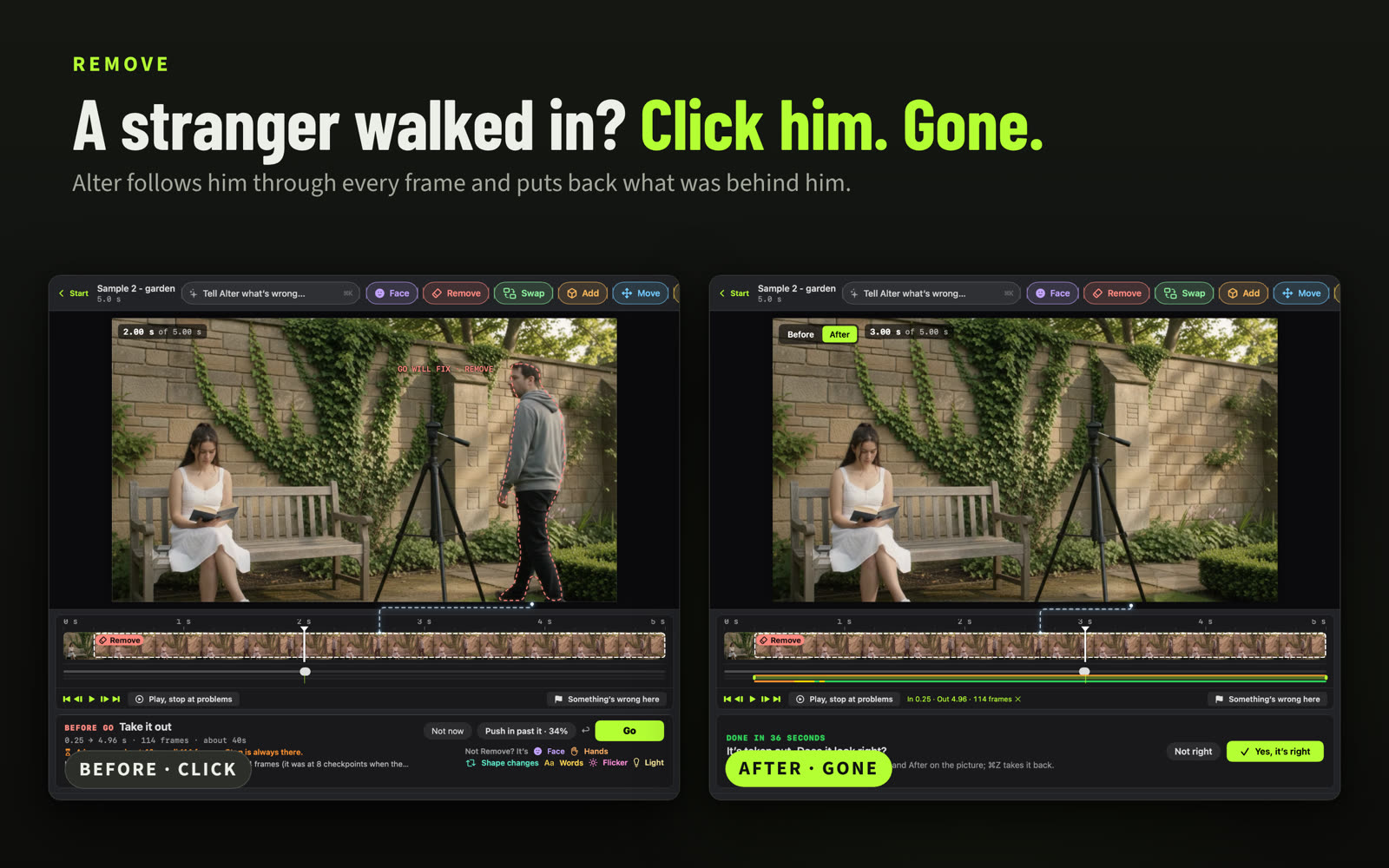
Remove what shouldn't be there
A stray cup, a stranger, a ball: taken out, the rest of the shot kept.
-
Fix signs, labels and numbers
Misspelled or garbled text in the picture, rewritten correctly in the same style.
-
Fix flickering light
Light that pulses brighter and darker, made steady.
-
Move things and people
Carried somewhere else, smaller as it goes further back, or resized where it stands.
-
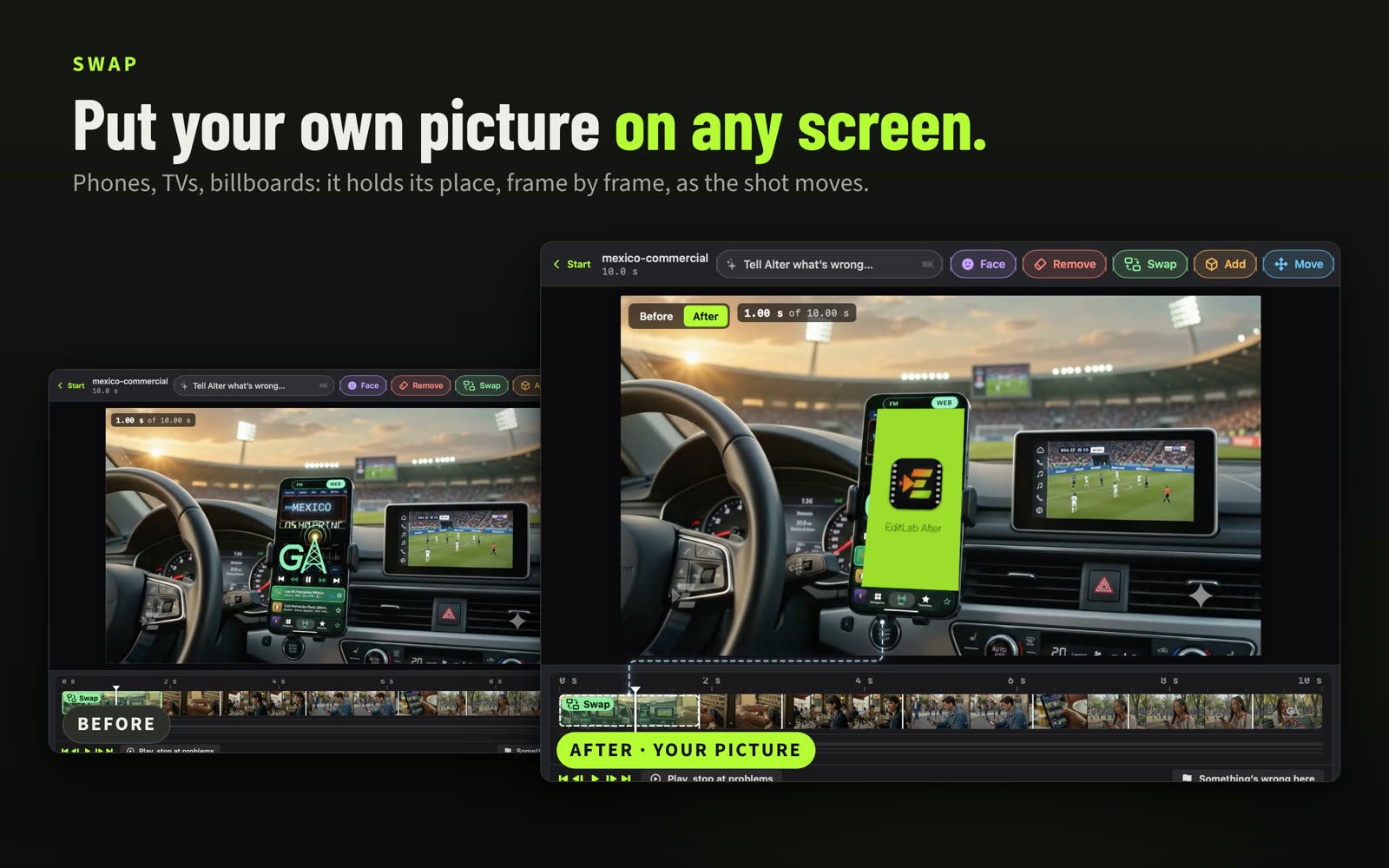
Add or swap things
Something of yours from a photo, a bottle where the cup was, a picture on a screen.
-
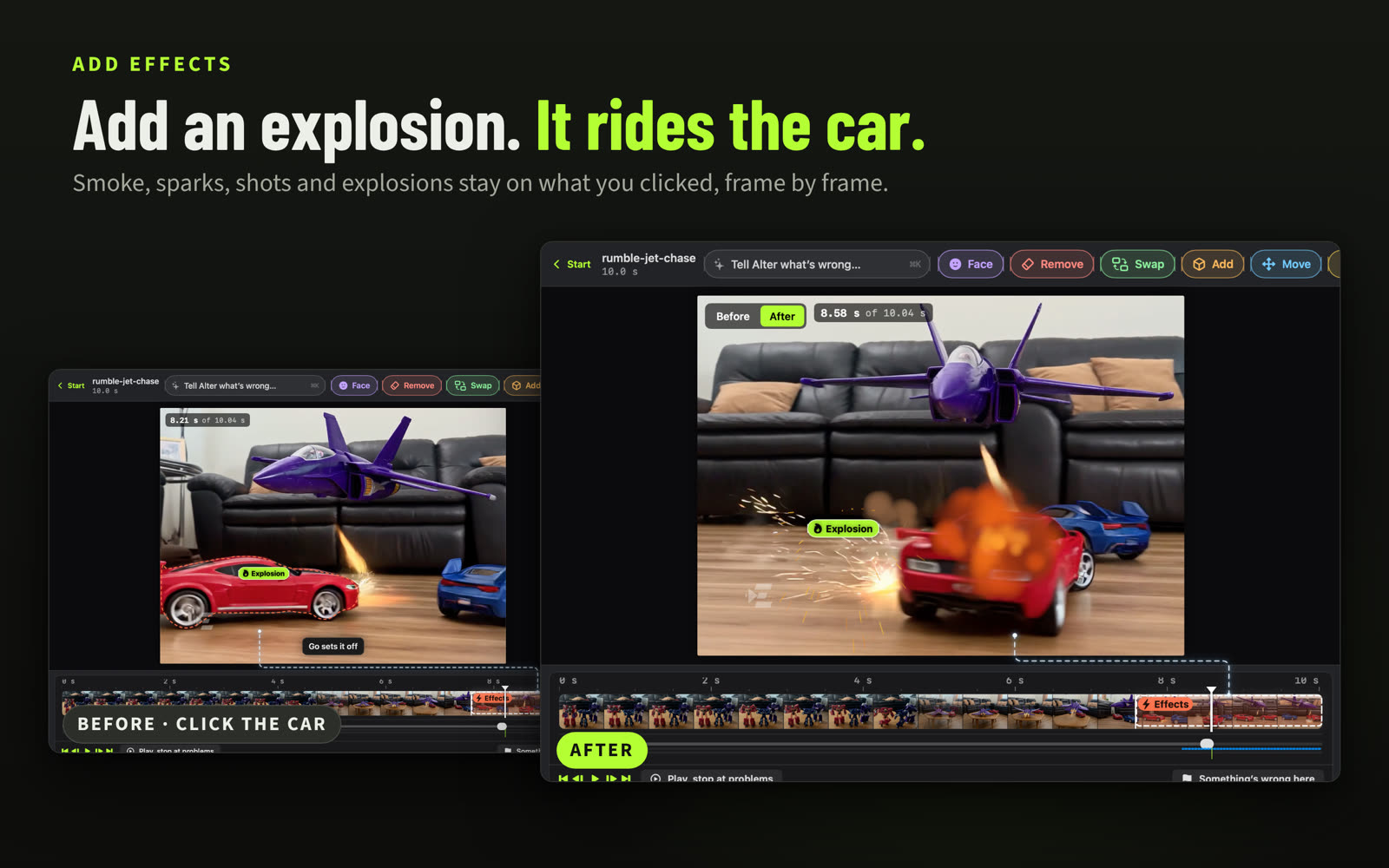
Add smoke, sparks and explosions
Smoke, sparks, laser fire or an explosion, stuck to the thing you click as it moves.
-
Change the background
A new place behind the person, or a transparent background.
And when a few seconds glitch or an ending falls apart, cut them out and keep the sound.
How a fix works
- Open your clip. From Veo, Sora, Kling or any other generator. Alter looks it over as it opens and tells you what it finds.
- Point at what's wrong. Click it, draw round it, or say it in your own words: "his face changes from 8 to 12 s", "remove the ball at 3 s".
- See the fix before it lands. Every fix says what it will do, over which frames and how long, before you press Go. Then compare Before and After, and undo anything.
- Review, then export. Play each fix once more, then export. Your original clip is never changed.
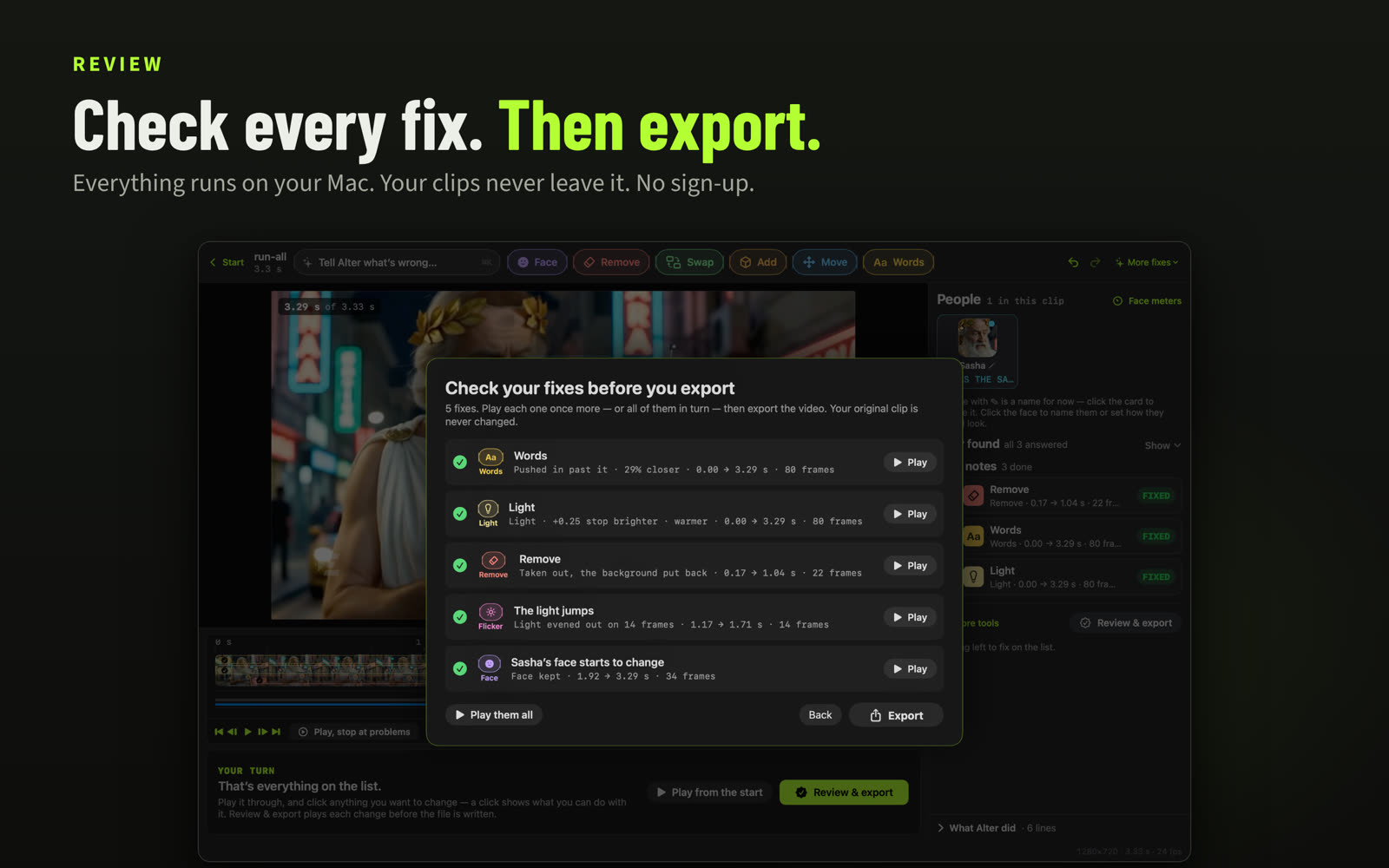
Save a project to keep the clip, your notes and every fix in one file, and pick up where you left off, on this Mac or another one.
Works with Claude
Link Alter to the Claude app and talk the clip over: Claude looks at it, finds what's wrong and fixes it with you, and every fix shows up in Alter's window. Edit ▸ Undo takes any of it back, and your original file is never changed.
Help ▸ Use EditLab Alter with Claude… · needs the Claude app for Mac · what Claude sees
Plans
- Free: open clips, find what's wrong, fix it, and export your first 10 clips with a small EditLab mark
- EditLab Alter Pro, $19.99 USD a month or $99.99 USD a year: keep exporting, with no mark
- EditLab Alter, $9.99 USD a month: keep exporting, with the small EditLab mark
Subscriptions are handled by Apple and renew each month or year until you cancel.
Requirements and privacy
- A Mac with Apple silicon and macOS 26.5 or later
- Working with Claude needs the Claude app for Mac
- Everything runs on your Mac: no account, no data collected, and your clips never leave it unless you link Alter to the Claude app
For reviewers and creators
Writing about AI video or teaching people to make it? Email markkaminsky99@gmail.com for a Pro code.